Update Chatbot Data
The Sources section allows you to feed your chatbot with the information it needs to know. You can upload documents, paste text, link websites, and other sources: the more data you provide, the more accurate the answers will be.
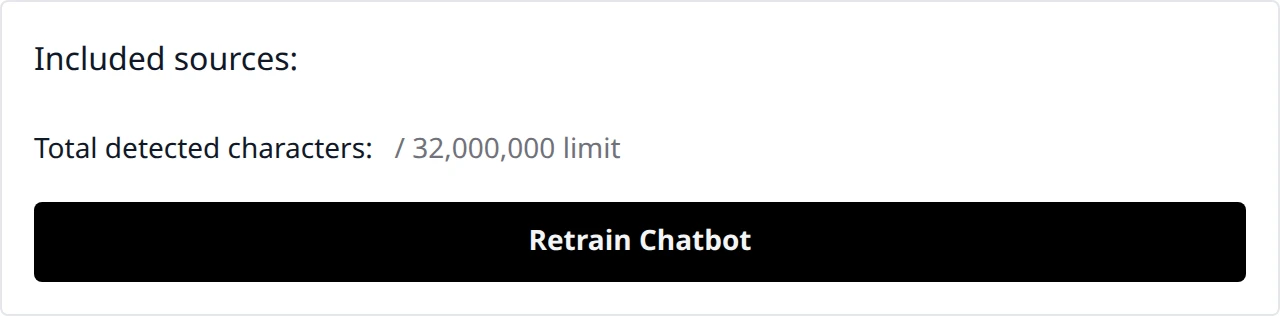
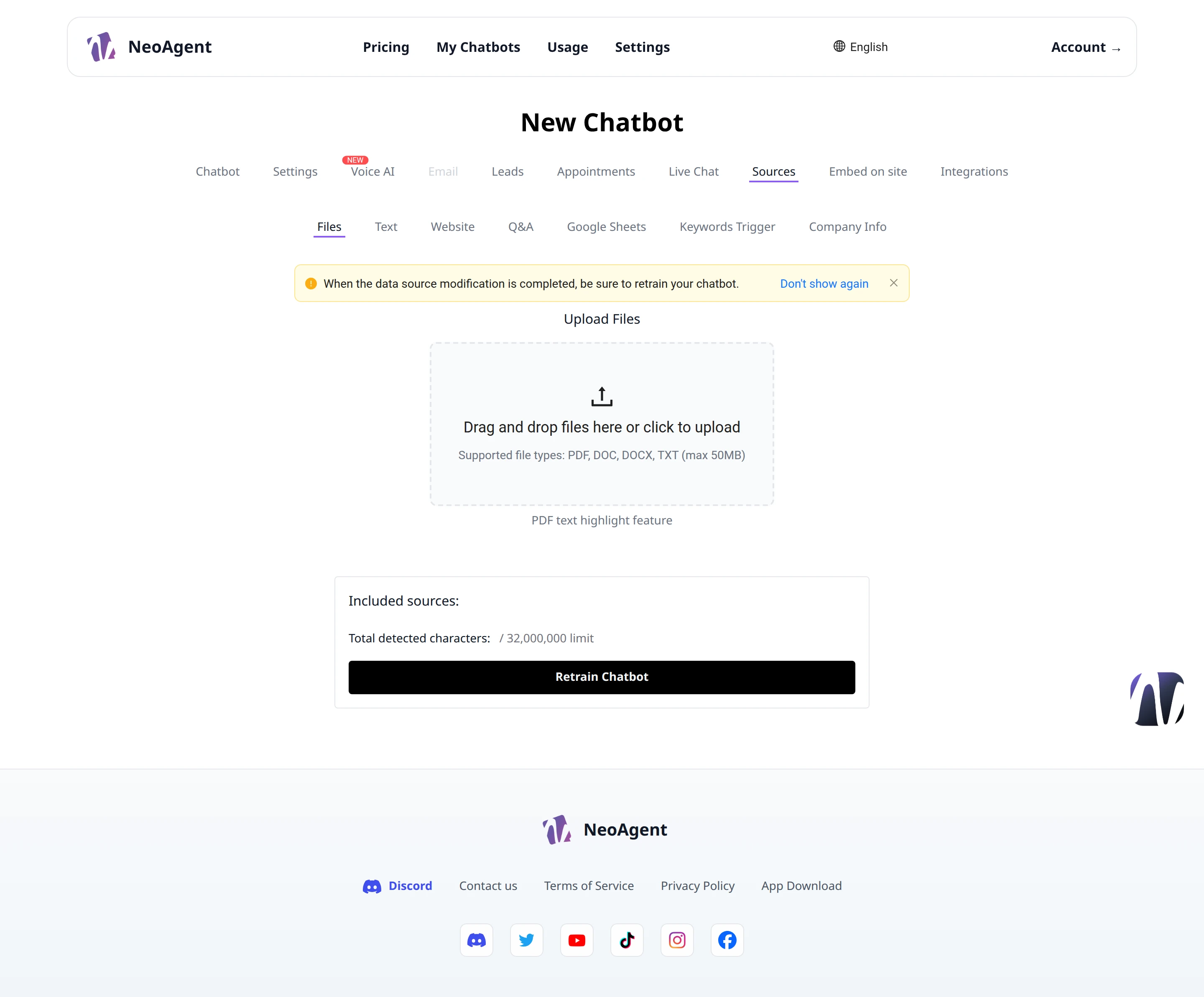
When updating the sources, remember to retrain the chatbot with the Retrain Chatbot button. The warning banner at the top of the page will remind you; you can hide it with Don't show again.
Available Sources
The page is organized into subsections, one for each type of source:
- Files — upload documents from your computer
- Text — paste free text by pasting plain text
- Website — link a page or website from which to extract content
- Q&A — add pre-made question and answer pairs
- Google Sheets — link a Google spreadsheet
- Keywords Trigger — set keywords that trigger specific responses
- Company Info — provide your company information
Uploading Files
In the Files subsection, you can upload documents to train the chatbot.
- Drag and drop files here or click to upload — drag files into the dashed area or click to select them from your computer
- Supported formats: PDF, DOC, DOCX, TXT, up to 50MB per file
- PDF text highlight feature — keeps the highlighting of text extracted from PDFs
You can add more files: the list of included sources is shown below the upload area.
Character Limit
The Total detected characters counter shows how many characters have been detected compared to the available limit of 32,000,000. If you approach the limit, consider removing less relevant sources to keep the number of available characters high.
Retraining the Chatbot
After adding or modifying the sources, click Retrain Chatbot to apply the changes. Retraining immediately makes the new information available to the chatbot.
Upload updated and well-structured documents: divide long content into thematic files to get more precise answers.
Upload Reference