Usage and Credits
From the Usage monitors the consumption of your resources and your credits. The page shows how many credits have been used, how many chatbots you have activated, and the usage trend over time.
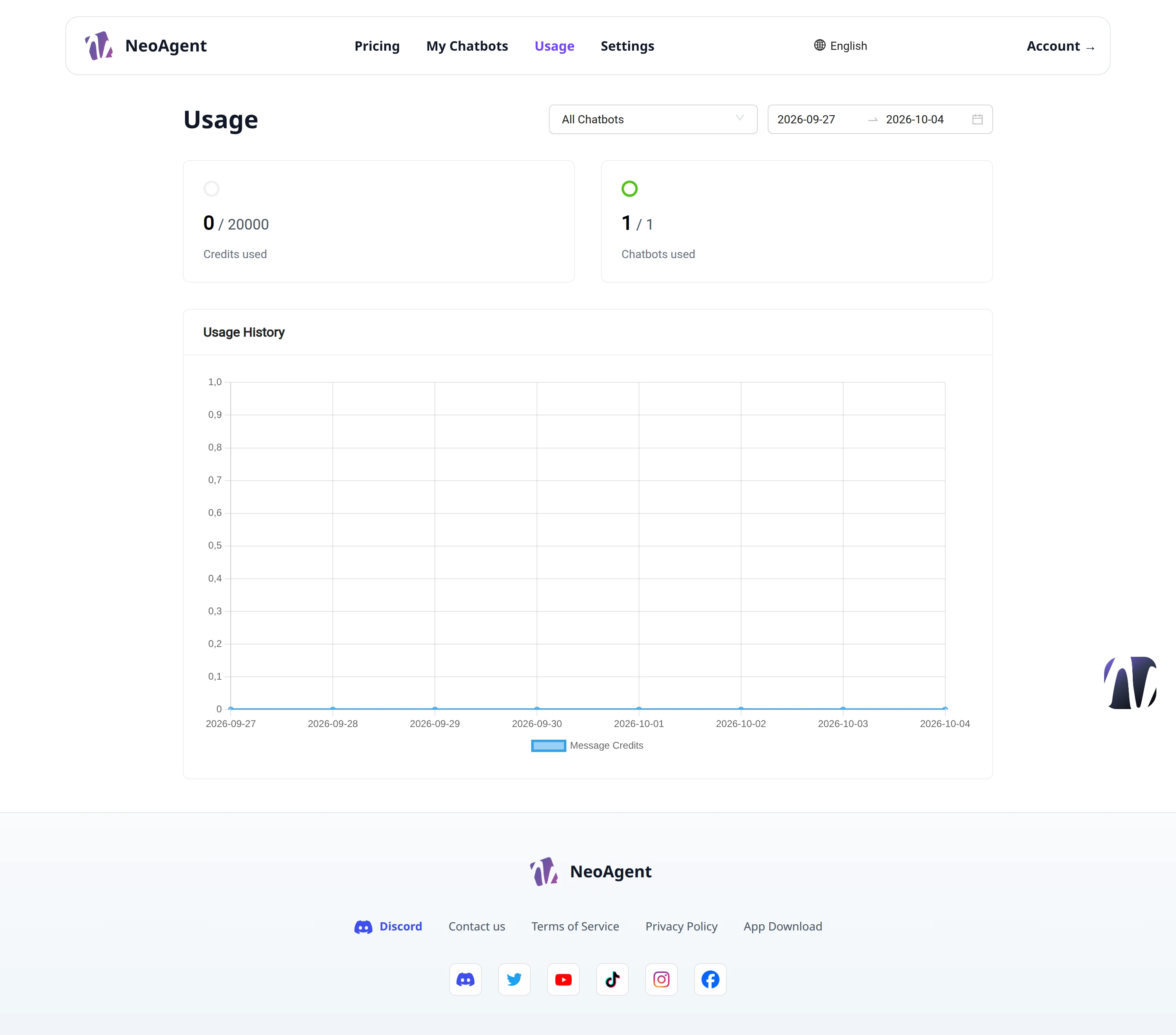
Filters
At the top right you can narrow down the displayed data:
- All Chatbots — selector to choose whether to consider all chatbots or a specific one
- Date Range — two fields (
Start dateandEnd date) to define the period to analyze
Credit Summary
The two summary tabs show the main values for the selected period:
- Credits used — credits consumed compared to the total available, for example
0 / 20000 - Chatbots used — chatbots used compared to the total, for example
1 / 1
The Credits used counter indicates consumption relative to your plan. Keep an eye on this value to avoid running out of available credits.
Usage History
The Usage History section contains a graph representing the consumption trend over time. The Message Credits legend identifies the series of credits used for messages.
By moving the cursor over the points on the graph you can read the daily values for the selected period.
Deleted Chatbots
The OnlyDeletedChatbot checkbox allows you to include deleted chatbots in the analysis, so you can consult their usage history.
Use a restricted date range to analyze specific consumption peaks and compare them with activities during that period.