API Authorization
This guide explains how to obtain the authentication key needed to use the Neoagent APIs.
How to Obtain the Secret Key
To access the Neoagent APIs, you need a unique authentication key. Follow these steps to retrieve it:
Step 1: Go to Settings
Log into your Neoagent account and navigate to the Profile Settings.
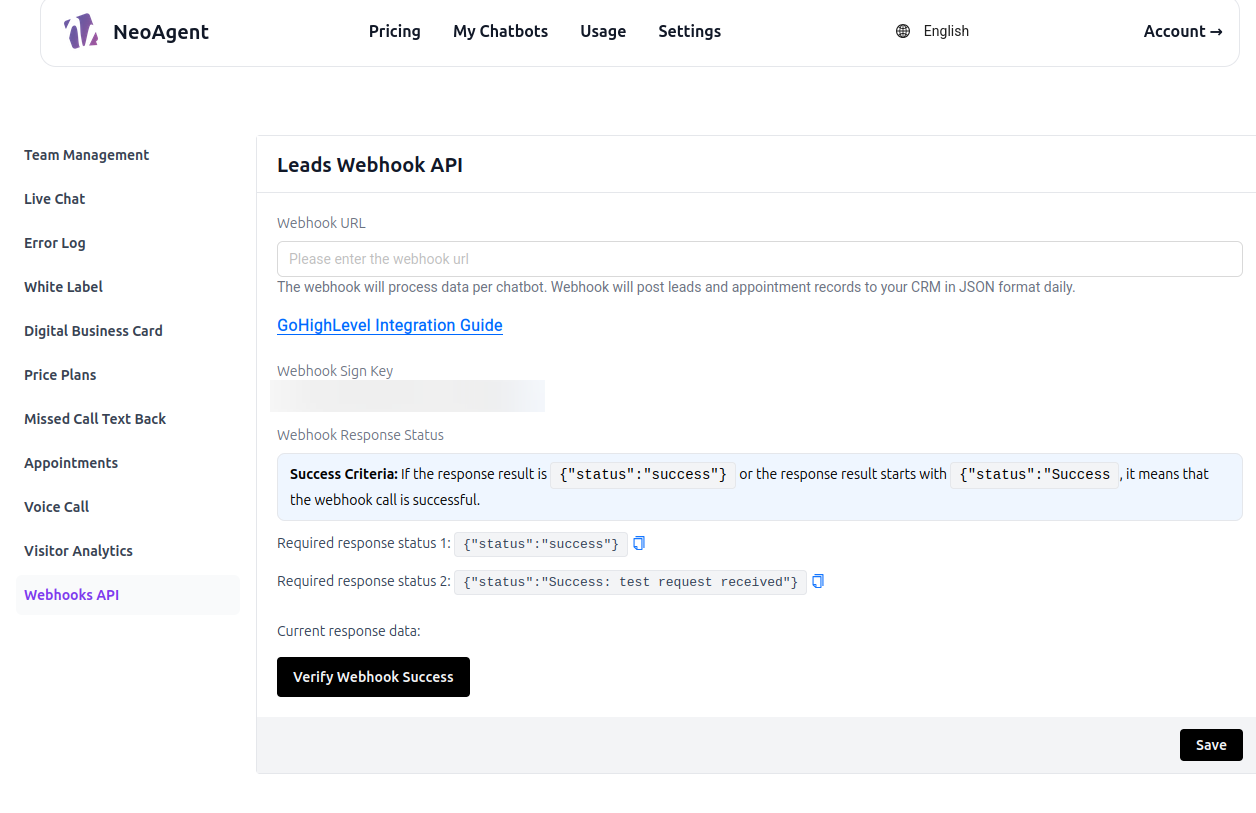
Step 2: Select Webhooks API
Once in the settings, find and select the "Webhooks API" section.
Step 3: Retrieve the Key
Scroll to the bottom of the Webhooks API page. Here you will find your Token Management.
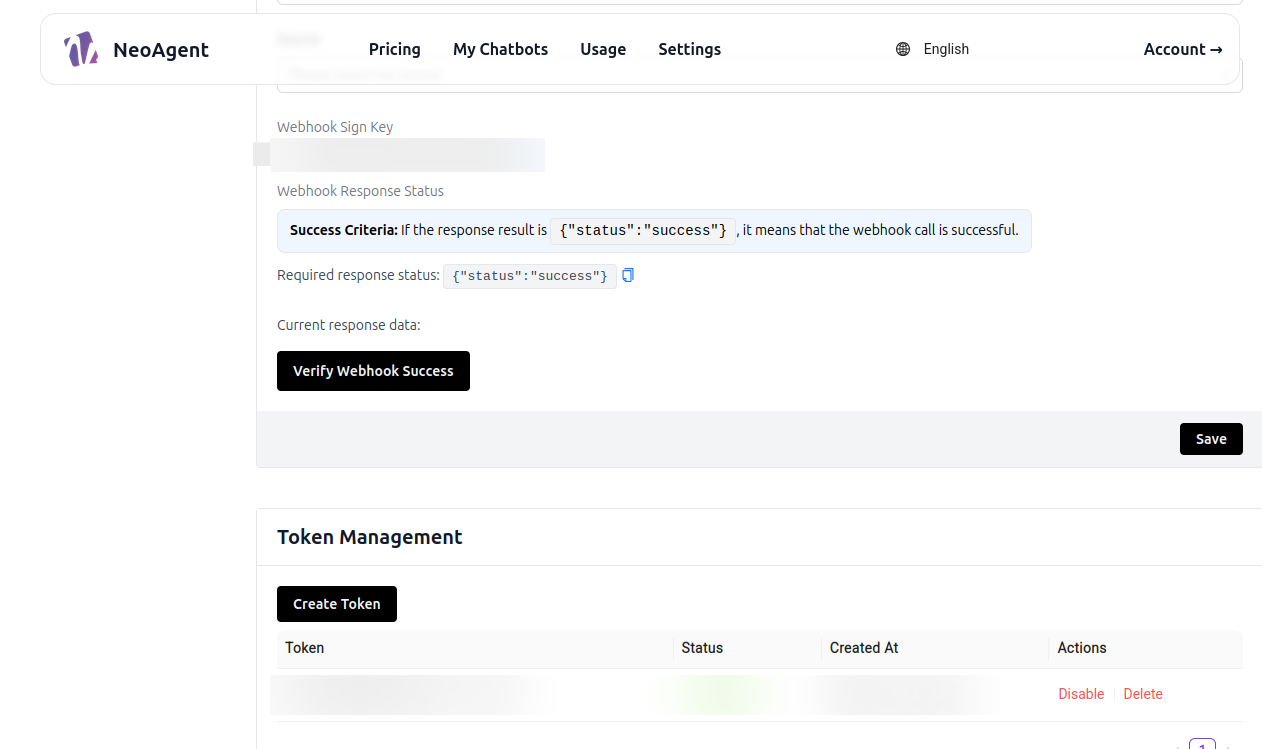
Using the Secret Key
Once you have obtained the key, use it in all API requests in the Authorization header:
Authorization: Your-Secret-Key
Content-Type: application/json
Usage Example
- JavaScript
- Python
- cURL
const headers = {
  'Authorization': 'your-secret-key-here',
  'Content-Type': 'application/json'
};

const response = await fetch('https://app.neoagent.co/api/endpoint', {
  method: 'POST',
  headers: headers,
  body: JSON.stringify(data)
});
headers = {
    'Authorization': 'your-secret-key-here',
    'Content-Type': 'application/json'
}

response = requests.post(
    'https://app.neoagent.co/api/endpoint',
    headers=headers,
    json=data
)
curl -X POST \
  'https://app.neoagent.co/api/endpoint' \
  -H 'Authorization: your-secret-key-here' \
  -H 'Content-Type: application/json' \
  -d '{"key": "value"}'
Key Security
- Never share your Secret Key publicly
- Do not include the key in frontend code visible to users
- Regenerate the key if you suspect it has been compromised
- Use environment variables to store the key in your projects
Security Best Practices
-
Environment Variables: Store the key in environment variables
const apiKey = process.env.NEOAGENT_SECRET_KEY; -
Server-Side Only: Use the key only in server-side calls, never in the frontend
-
Monitoring: Monitor the usage of your API to detect suspicious activity
-
Rotation: Consider periodically regenerating the key for added security
Troubleshooting
Error 401 - Unauthorized
If you receive a 401 error, check that:
- The Secret Key is correct
- The
Authorizationheader is present - There are no extra spaces in the key
Error 403 - Forbidden
If you receive a 403 error, it may be because:
- Your account lacks the necessary permissions
- You have exceeded rate limiting
- The requested endpoint is not available for your plan